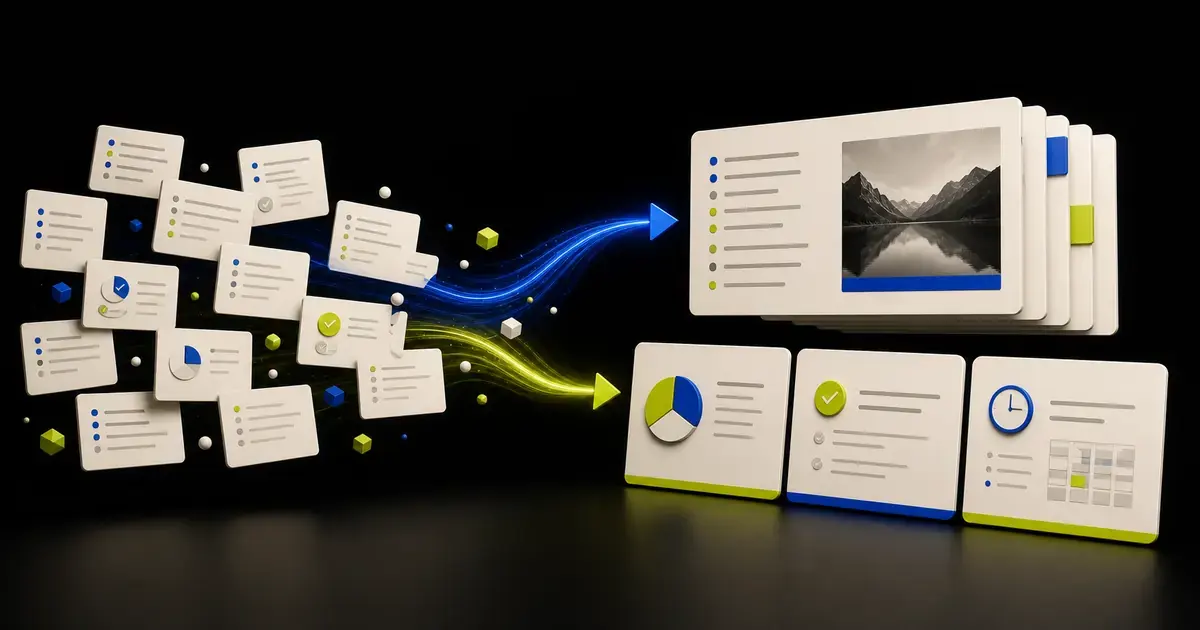
You can turn meeting notes into a presentation with AI, but notes must be cleaned before they become a source of truth. Separate confirmed decisions from discussion, evidence from opinions, owners from suggestions, and open questions from agreed actions. Then build an outline for the next audience, generate slides, and verify the deck with the people who attended.
The risk is not only a weak presentation. It is making an uncertain conversation look like an approved decision.
Decide what the presentation is for
Meeting notes may support several different outputs:
- an executive update;
- a project kickoff;
- a decision record;
- a customer follow-up;
- a workshop recap;
- a roadmap or status presentation;
- a training deck based on the discussion.
Do not ask AI to create "a presentation from these notes" until you define the audience and next action.
For example:
Create a project kickoff presentation for the delivery team. The source is the approved planning meeting notes. The deck should explain scope, workstreams, owners, risks, and the next two decisions. Do not present proposed dates as commitments.
That is a different job from an executive summary of the same meeting.
Clean the notes before generation
Record basic context
Add:
- meeting title;
- date and time;
- attendees and roles;
- facilitator or note owner;
- purpose;
- source files discussed;
- status of the notes: draft, reviewed, or approved.
Mark each statement by type
Use a simple classification:
| Label | Meaning | Presentation treatment |
|---|---|---|
| Decision | Explicitly agreed | May be stated as approved |
| Evidence | Verified fact or named source | Cite or trace to source |
| Proposal | Suggested but not approved | Label as proposal |
| Assumption | Believed but unverified | Keep visible as assumption |
| Action | Assigned next step | Include owner and date only if confirmed |
| Question | Still unresolved | Do not convert into an answer |
| Parking lot | Out of current scope | Exclude or append |
This classification gives AI boundaries that raw notes do not provide.
Resolve speaker ambiguity
Notes such as "they will deliver it Friday" are dangerous. Replace pronouns with names or roles and clarify which Friday, which deliverable, and whether the statement was a commitment.
Remove transcription artifacts
If the notes came from a transcript, review names, acronyms, numbers, product terms, and interruptions. A fluent transcript can still mishear the most important factual token.
Create a decision and action register
Before building slides, extract the operational record:
| Item | Type | Statement | Owner | Date | Evidence | Status |
|---|---|---|---|---|---|---|
| D-01 | Decision | Use phased rollout | Program lead | - | Meeting approval | Confirmed |
| A-03 | Action | Validate migration volume | Data lead | July 26 | Workbook pending | Open |
| Q-02 | Question | Final support coverage | - | - | None | Unresolved |
Ask an attendee or owner to review this register. It is easier to correct one table than a designed slide deck.
Build the story for the new audience
Meeting order is rarely presentation order. Meetings move through interruptions, questions, and repeated discussion. The deck should follow the audience's needs.
A project update might use:
- purpose and current status;
- decisions made;
- evidence or constraints;
- agreed scope;
- workstreams and owners;
- risks and dependencies;
- open decisions;
- immediate next steps.
A customer recap might use outcomes, confirmed requirements, proposed approach, responsibilities, open questions, and next meeting.
The AI presentation outline guide explains how to test the sequence before slide creation.
Use a prompt that preserves uncertainty
Use this template:
Turn the attached reviewed meeting notes into an outline for
[audience]. The presentation goal is[goal]. Treat only items labeled Decision and Evidence as confirmed. Label Proposal, Assumption, and Question explicitly. Include an owner or date only when it appears in the approved notes. Do not infer consensus from repeated discussion. For every slide, cite the note section or register item that supports it.
The important instruction is not "be concise." It is "preserve status."
AI should never convert:
- "we could launch in September" into "launches in September";
- "marketing may own this" into "owner: Marketing";
- "the customer asked whether" into "the customer requires";
- a discussion point into a decision;
- silence into approval.
Turn discussion into slide takeaways carefully
A meeting may contain multiple views. The slide should reflect the accepted synthesis, not the most confident speaker.
Use title patterns that preserve status:
- Decision: "The team approved a phased rollout"
- Evidence: "Current volume exceeds the manual review threshold"
- Proposal: "Proposed pilot focuses on two representative regions"
- Risk: "Support coverage remains unresolved before launch"
- Action: "Data and operations will validate the migration plan"
If no conclusion was reached, say so. "Three rollout options remain under review" is more useful than an invented recommendation.
Add only evidence that the notes can support
Meeting notes often reference a chart, document, or demonstration without containing it. Do not recreate the missing evidence from memory.
Either:
- attach the named source;
- cite it as pending;
- remove the claim;
- label it as a participant statement requiring verification.
Use the complete source-material presentation workflow when notes need to be combined with reports, spreadsheets, or an existing PPTX.
Separate slide content from speaker context
Keep slides focused on the audience's decision. Put useful facilitation context in speaker notes:
- who raised the issue;
- why an option was rejected;
- detailed discussion history;
- questions likely to recur;
- references to supporting documents;
- the exact wording of unresolved concerns.
Do not hide a material risk in speaker notes. Information required to interpret a decision belongs on the slide.
Know when notes should not become a presentation yet
Pause generation when:
- the notes have not been reviewed by the meeting owner;
- several participants disagree about the decision;
- actions have no confirmed owner;
- important evidence was discussed but not attached;
- customer or employee information is not approved for the new audience;
- the meeting was exploratory and produced no stable conclusion;
- the transcript quality is too poor to trust names, numbers, or commitments.
In these cases, create a clarification document instead of slides. List the candidate decisions, conflicting statements, missing sources, and owners required to resolve them. A presentation should communicate an accepted record or a clearly labeled proposal, not freeze confusion into a polished artifact.
When the record is approved, give it a version and cutoff date. Keep the source notes with the decision register so later reviewers can trace why a slide changed. Record who approved the recap and which audience may receive it. If a new meeting overturns a decision, update both the register and presentation instead of editing only the most visible file.
Review the presentation with participants
Use a targeted review rather than asking "Does this look right?"
Ask:
- Are all decisions represented accurately?
- Is anything shown as approved that was only proposed?
- Are owners and dates confirmed?
- Are dissenting views or risks materially misrepresented?
- Does every metric have a source?
- Are open questions still visible?
- Is confidential discussion appropriate for the new audience?
Record corrections in the decision register and update the deck from that record.
Create the presentation in Yrkie
In Yrkie, prepare reviewed notes as DOCX, Markdown, TXT, or another supported source, then start in Inventor mode with the presentation brief. Review the outline before slide generation so proposals, decisions, and open questions retain the correct status.
If the meeting updated an existing project or customer deck, use Copyist mode with the PPTX and the approved notes. Make focused changes to the relevant slides instead of generating a disconnected replacement.
Supported slide content can be refined in the canvas and exported to PPTX. Always reopen the file and confirm that the presentation still matches the approved meeting record.
Create a presentation from your reviewed notes after the decision and action register is approved.
Frequently asked questions
Can AI summarize a meeting directly into slides?
It can create a draft, but raw notes and transcripts often mix decisions, ideas, and unresolved questions. Classify and review the content first.
Should every discussion topic become a slide?
No. Include information that serves the new audience and presentation goal. Keep relevant backup detail in notes or an appendix.
How do I stop AI from inventing decisions?
Label decisions explicitly, tell the AI that all other statuses must remain visible, and require a source reference for every slide claim.
Can I add meeting audio as a source?
Some AI workflows accept audio, but transcription and interpretation still require review. For important work, use an approved transcript or reviewed notes as the controlling record.
What if attendees disagree with the recap?
Do not resolve disagreement through presentation wording. Record the conflict, identify the decision owner, and keep the item open until it is resolved.